
PatronAPI · Library Wi-Fi
Library-card Wi-Fi login for Cisco Meraki networks
Give patrons a simple, branded way onto your library Wi-Fi with their library card — and give staff the usage data to plan services.
Part of PatronAPI, the library edition of CrowdSense
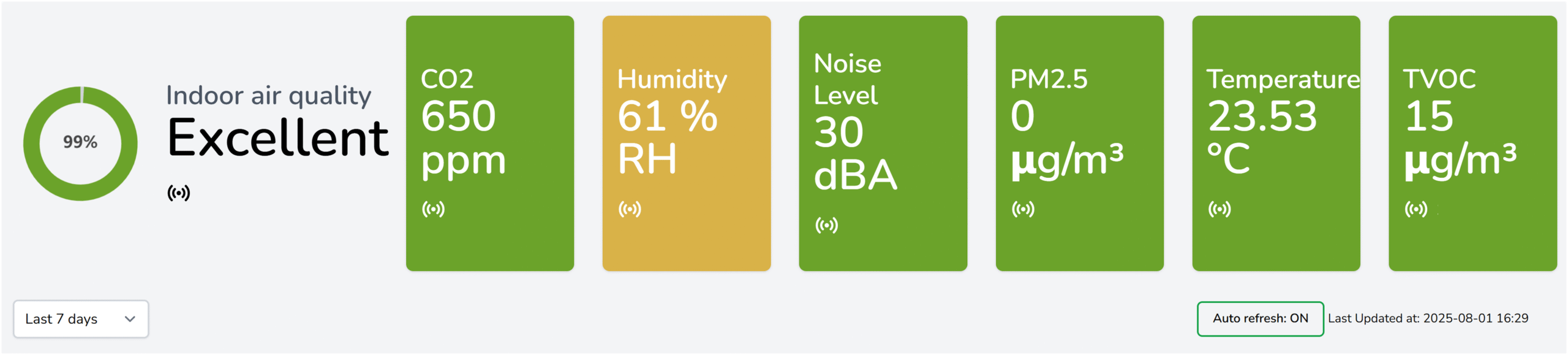
PatronAPI shares the CrowdSense dashboard, so Wi-Fi use sits alongside footfall and air quality.
What the splash page does
The first screen every patron sees on your Wi-Fi
Quick, card-based login
Patrons connect with their library card, validated against your library management system.
Safer browsing for juniors
Adult and junior whitelisting lets you apply the right access to each patron.
Your library’s branding
Your logo, colours and messages on the splash page, so the Wi-Fi feels part of the library.
Information at the point of connection
Share events, updates, policies and resources as patrons connect.
Usage analytics
See how the Wi-Fi is used, by branch, alongside footfall and environmental data.
Optional sign-up
Optionally collect contact details for newsletters and events — with the patron’s consent.
FAQ
Questions we get asked
Do we need Cisco Meraki access points?
Yes. The splash pages run on Cisco Meraki networks. If your library already uses Meraki Wi-Fi, the access points are already in place.
Which library management systems are supported?
PatronAPI validates cards against your library management system. Tell us which one you use and we will confirm the integration.
Can we also count visitors and monitor air quality?
Yes. PatronAPI is the library edition of CrowdSense, so people counting, environmental monitoring and self-service access can be added on the same dashboard.
Make your Wi-Fi part of the library
Book a demo and we will show you the patron journey and the reporting.